


How can you tell whether lead research software will surface companies worth contacting, rather than simply produce a longer list? Start with your consulting work and the signals that suggest a business may need it. For a broader look at available approaches, our best prospect research tools for consultants article provides useful context.
If you are deciding how to choose lead research software, map the work you want to improve before comparing features. A solo consultant who needs relevant companies and research context has different requirements from a sales team buying verified contact records or automated email sequences. A good fit makes its research reviewable and keeps its role in your workflow clear, so you know what the software handles and what remains your responsibility.
Start with the prospecting job you need to improve

Begin by naming the bottleneck you want to solve. You might spend too much time finding companies, struggle to explain why a company fits your service, or need a repeatable way to prepare outreach. Each problem calls for different software capabilities.
Write down the stages you want covered: company discovery, research, contact identification, qualification, message preparation, sending, and follow-up. Decide which stages you need software to support and which you prefer to manage yourself. This prevents a common mismatch: paying for a broad sales platform when your main need is focused company research, or choosing a research tool when you actually need contact verification and sending.
Define your ideal client profile in practical terms. Specify the industries, company sizes, locations, business situations, and service needs that make a prospect relevant. Then decide what counts as a useful result. For example, a consultant offering customer-support automation might prioritize a company expanding its support team, rather than a business that merely matches a broad industry category.
Match the research to your service and market
Research is useful when it explains why a company could be a fit for your work. Check whether the software accepts details about your offer, expertise, target client, and market. If it relies only on generic company filters, you may still need to do the service-fit analysis manually.
Ask how the tool adapts when your focus changes. A consultant who narrows from general marketing support to ecommerce conversion work needs different company signals. Feedback controls can also matter: the ability to mark results as relevant or irrelevant gives you a way to refine later shortlists, though it does not prove that any company is ready to buy.
Even in the adjacent market-research category, Displayr’s 2026 guide emphasizes choosing around the work and data involved rather than treating a feature list as the starting point. Apply that practical distinction here: compare how software supports your actual prospecting task, not how many capabilities its marketing page names. For more context on company-level research, see our overview of best company research tools for consultants.
Our daily briefs are shaped by the consultant’s service, expertise, ideal client, and market. You can review the reason a company may need your service, inspect its source, and give feedback that informs subsequent shortlists. Treat these as potential-fit signals that you evaluate, not as proof of buying intent.
Check whether you can inspect the evidence
Before acting on a suggested opportunity, you should be able to understand why it appeared. Look for a source you can open, a clear explanation of the company signal, and enough context to decide whether the signal actually connects to your service. A hiring notice, for example, may support a relevant conversation about staffing workflows. It does not establish that the company wants to buy consulting services.
Ask whether the source is specific and reviewable, not merely whether the software produces a confident-sounding summary. Check that the evidence is current enough for your use, and confirm that you can return to it when preparing a message. The Cochrane Handbook describes how evidence-review data systems can link extracted items to their source locations and support checking. That guidance concerns systematic reviews, but it illustrates a useful question for prospect research: can you trace a suggested reason to contact a company back to the underlying evidence?
Use that check during a sample review. Open several results and ask whether each source supports the stated signal, whether the signal relates to your offer, and whether you would feel comfortable explaining your reason for reaching out. If the answer is unclear, plan for more manual research before contacting the company.
Separate company research from contact verification and outreach
Lead research, contact data, and outreach execution are related, but they are not interchangeable. A tool can find companies and provide context without verifying a decision-maker’s email address. Another can validate email addresses without explaining why a company fits your consulting service. A sequence platform may send messages without supplying reliable research.
Clarify what the software does with each contact detail. Check whether it identifies a person, provides a business email, verifies the address, or simply suggests where you might look. Confirm whether verification is included, requires another service, or remains your responsibility. Before sending, find or verify the appropriate contact and check that the message is addressed to that person.
Also confirm the sending boundary. Some software prepares drafts for you to review and send; other products may include automated sequences. If you need oversight, check whether messages require approval and whether you control the final wording and timing. Our research briefs include suggested drafts and practical conversation tips, but you review, personalize, and send every message through your own email account. For a closer look at that distinction, read our overview of best lead research software for consultants.
Compare useful lead volume, delivery, and total cost
Compare the number of relevant companies you can act on, not only the maximum number a plan allows you to request. Ask whether volume refers to requested results, delivered results, verified contacts, or completed outreach. These are different measures, and a high allowance is less useful if the returned companies do not match your criteria.
Review where results arrive and how you can return to them. Daily email briefs, dashboard access, saved preferences, and a history of past research can support a regular routine. If your workflow depends on a CRM or another prospecting system, check whether the tool connects to it and whether information syncs automatically or requires manual export and entry.
Estimate the total cost per usable lead by considering subscription charges, data credits, add-ons, required seats, and any separate contact or outreach tools. Then compare that expense with the manual work the software actually removes. For more questions to weigh before a subscription, see our explanation of whether lead research software is worth it.
For example, our Starter plan provides one daily brief with up to 10 requested leads for $49 per month. Pro provides up to 20 requested leads in one daily brief for $99 per month. These allowances count requested results, so fewer relevant companies may be returned. A free first researched brief is available after signup without a card. Eligible accounts can also start a seven-day trial with a payment method; subscriptions renew monthly unless canceled before the trial ends.
Test a shortlist with a small, realistic pilot
A short pilot exposes gaps that feature comparisons miss. Select a small group of companies your consulting offer could genuinely serve, then assess whether the tool finds appropriate targets, shows evidence you can inspect, and provides enough context to prepare a relevant first message.
Track the time required to review each result, identify or verify the right contact, personalize a draft, and move the prospect into your existing workflow. Note how many results you would actually consider contacting. This gives you a practical measure of usefulness instead of relying on raw volume or a polished demo.
A Lumivero 2026 buyer’s guide for qualitative research software recommends structured requirements and pilot testing as part of selection. That guide addresses another research-software category, but the evaluation habit transfers well: test real work before committing, and check whether the tool supports the requirements you set.
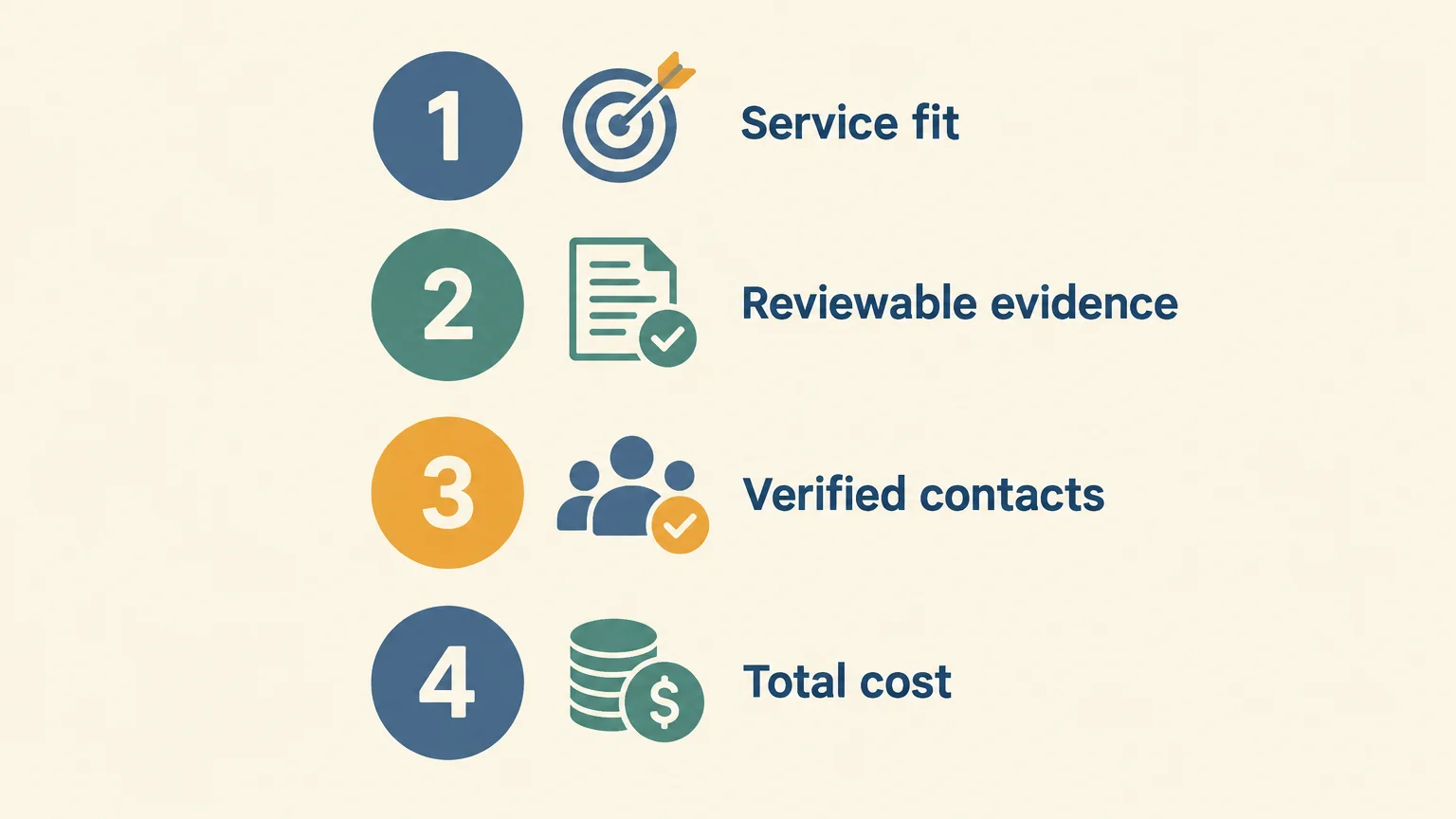
Before the pilot ends, confirm the renewal date, billing interval, cancellation process, support options, and data export path. Keep your scorecard short: service fit, evidence quality, contact responsibilities, workflow coverage, relevant volume, and total cost. Choose the platform that meets the essentials without adding features you will not use.
Choose for fit, evidence, and workflow
The right choice depends on how closely the research matches your consulting offer, whether you can review its evidence, and how much work remains before a message is ready to send. Define your requirements, test real prospects, and compare useful output with the full cost. A focused evaluation of lead research software for consultants helps you choose a tool that supports your process without confusing potential fit with verified contacts or buying intent.
Build a More Focused Prospecting Routine
If you want company research shaped around your consulting service, ideal client, and market, a daily brief can give you a repeatable starting point. Review each company’s source and potential service fit, then decide whether it deserves further research and outreach.
Our first researched brief is free after signup, with no card required. For ongoing research and dashboard access, Starter is $49 per month for up to 10 requested leads in one daily brief, while Pro is $99 per month for up to 20. Fewer relevant companies may be returned. Eligible accounts can start a seven-day trial with a payment method, followed by monthly renewal unless canceled before the trial ends. You review, personalize, and send outreach yourself. Get your first researched brief and assess the results before deciding whether ongoing access suits your workflow.
Frequently Asked Questions
What does lead research software do?
It helps identify potential companies and gather information that can support prospect qualification and outreach preparation. The exact functions differ, so check whether a tool also provides contact verification, message drafting, or sending.
Does lead research software verify contact details?
Not necessarily; company research and contact verification are separate capabilities. Our briefs provide company research and suggested drafts, while you find or verify the appropriate contact before sending.
Will the software send outreach for me?
That depends on the product and plan, so confirm whether it prepares drafts or sends messages automatically. Our Starter and Pro plans provide drafts for your review, personalization, and sending through your own email account.
How many leads should I request each day?
Choose a volume you can review, qualify, and contact thoughtfully, rather than optimizing for the largest list. Our Starter plan allows up to 10 requested leads in one daily brief, and Pro allows up to 20; fewer relevant companies may be returned.
Can I try a lead research service before subscribing?
Check whether the service offers a sample, free brief, or trial, and review any payment or renewal conditions. Our first researched brief is available after signup without a card, while a seven-day trial requires a payment method and is available to eligible accounts.