
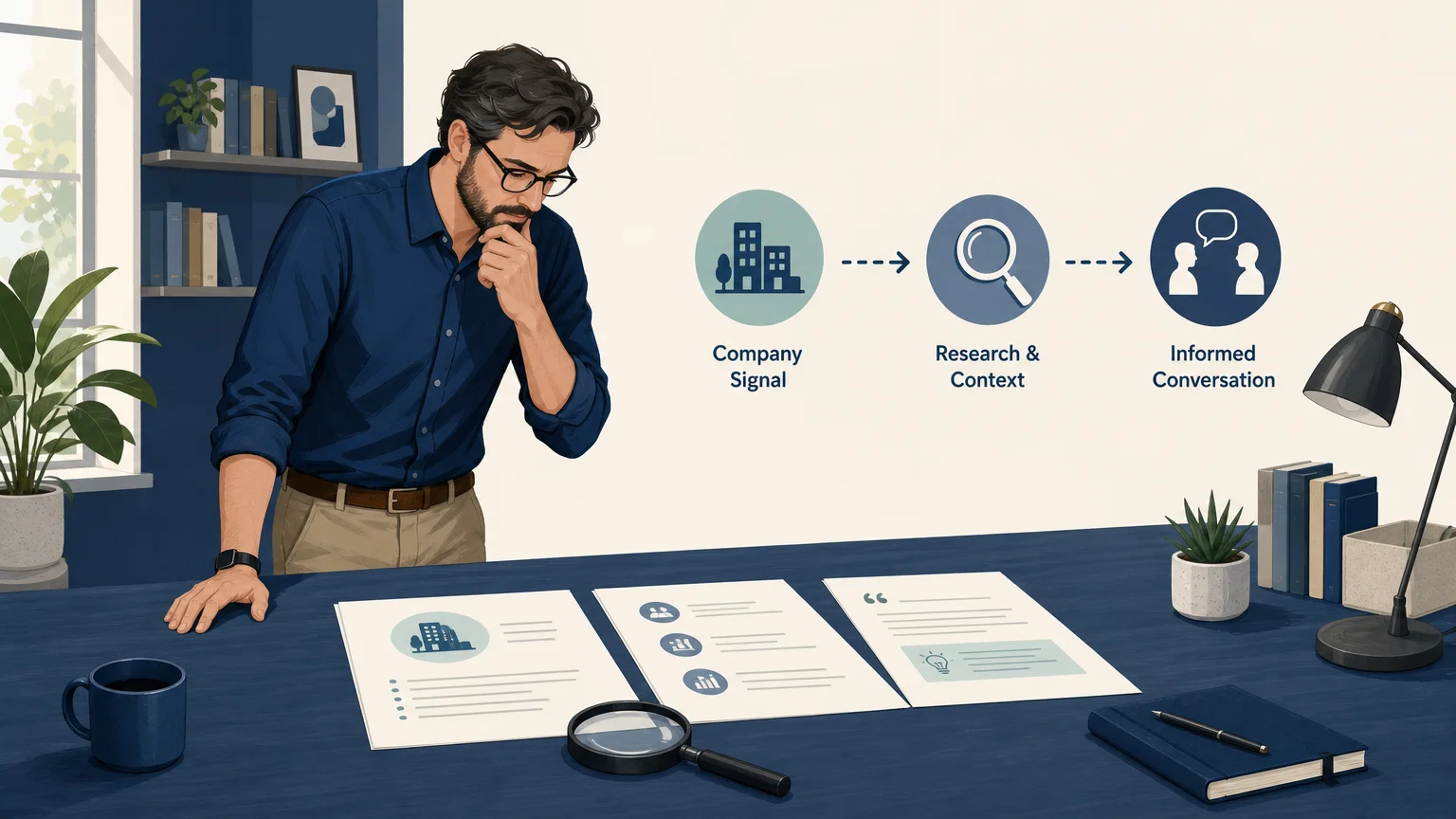

Lead research software becomes worthwhile when it helps you spend less time searching and more time having relevant conversations. We designed our best outreach preparation software for marketing consultants resource around that same practical question: which parts of prospecting should software prepare, and which decisions should remain with you?
A 2026 small-business guide describes the central trade-off clearly: manual lead generation can reduce cash costs, but it consumes time, while software can automate repetitive research and list-building work. The important question is not whether software creates leads automatically. It is whether the tool gives you enough useful research to justify its price and the work that remains.
What Are You Actually Paying For?
Lead research software is not one product category. Different tools solve different problems, and many buying mistakes happen because these categories are treated as interchangeable.
| Category | Primary job | What you still do | Best fit |
|---|---|---|---|
| Manual research | Search company websites, news, job pages, and professional networks yourself | Everything, including evidence review and outreach | Early testing, narrow markets, and very small prospect lists |
| Lead databases | Find companies and contacts using filters and stored records | Check relevance, freshness, and contact accuracy | Teams that need contact volume quickly |
| Enrichment tools | Add missing firmographic, contact, or technology data | Define the starting list and interpret the information | Teams with existing records that need completion |
| Sales intelligence platforms | Combine company data, signals, intent, and account prioritization | Configure the system and act on the signals | Larger sales teams with established data workflows |
| Outreach preparation tools | Research potential fit, explain the reason to contact, and prepare a draft | Qualify the company, verify the contact, personalize, and send | Consultants who want a repeatable prospecting routine |
The distinction matters because a contact database may give you a name and email address without explaining why the company might need your service. An enrichment tool may improve a record without helping you decide whether the account deserves attention. A research and outreach-preparation service can be more useful when your bottleneck is understanding the opportunity, not merely finding another contact.
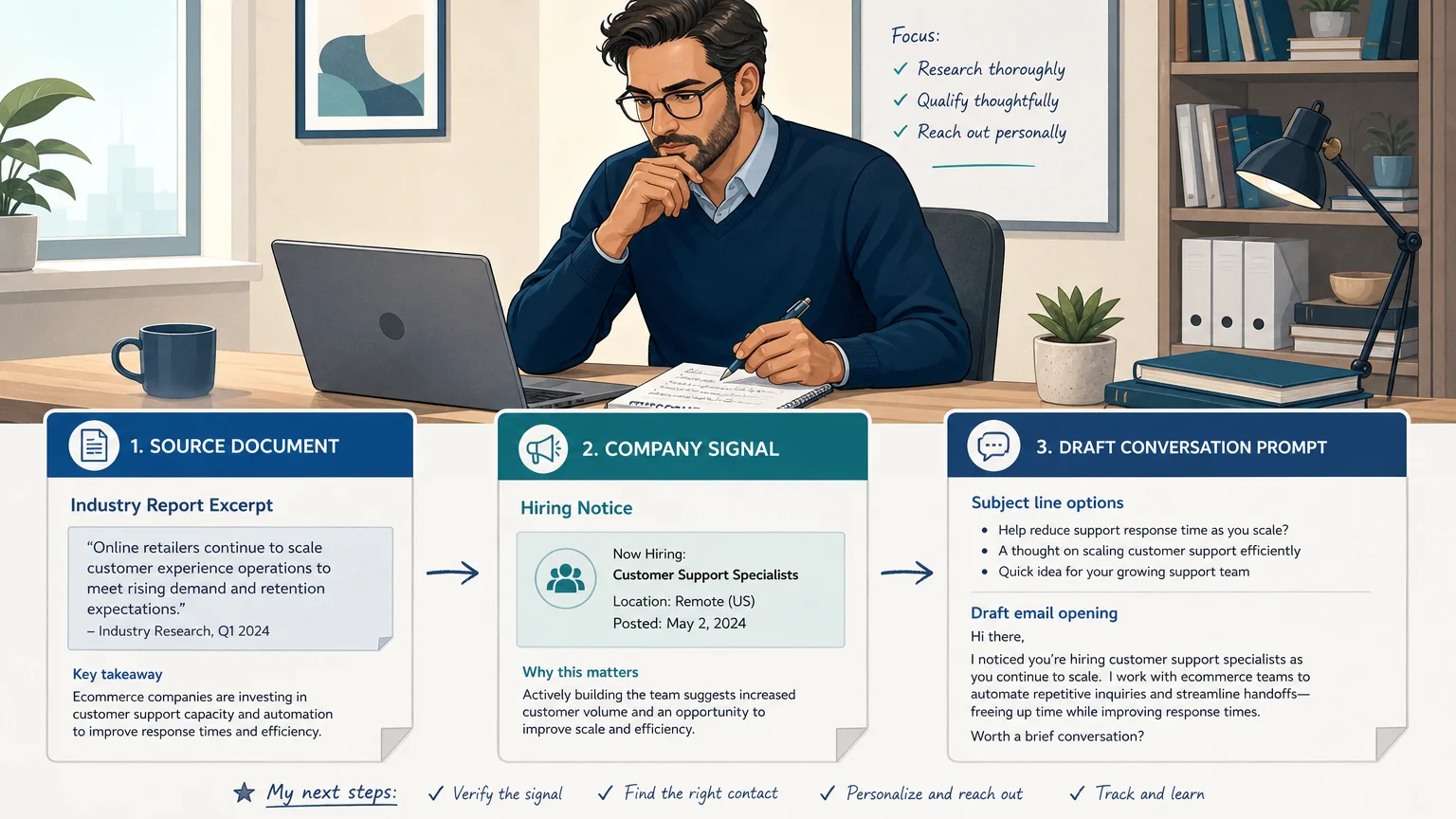
For a consultant, the most valuable output is usually a short chain of reasoning: what changed at the company, why that change may relate to your service, which source supports the observation, and what conversation could follow. Without that context, a large list can simply create more work.
When Is Lead Research Software Worth It?
The answer is usually yes when your prospecting process has a clear, expensive bottleneck. If you lose several hours each week searching for suitable companies, checking public signals, and preparing a first message, software may create meaningful value even before it produces a client.
Consider a consultant who charges $2,000 for a project and spends eight hours each week researching prospects. If software reliably returns a smaller set of relevant opportunities, the value may come from recovering time for delivery, referrals, sales conversations, or strategic work. That does not guarantee revenue. It gives the consultant more opportunities to use professional judgment where it matters most.
Software is less likely to be worthwhile when your market is extremely small, your ideal clients are already known, or you enjoy research and have enough time to do it manually. It may also be a poor fit when you expect the tool to identify guaranteed buyers, provide verified contacts without checking, or send messages without review.
Our approach is deliberately narrower. You provide your service, expertise, ideal client, and market. We return researched companies, the reason they may need your service, source information, suggested messaging, and conversation tips for review. That structure is useful when you want to reduce searching without handing over qualification and relationship decisions.
Which Software Category Fits Your Workflow?
Before comparing prices, identify the exact stage where your process slows down. A tool that solves the wrong bottleneck can increase complexity rather than reduce it.
Choose manual research when you are still learning your market. Manually reviewing a small number of companies helps you understand which signals matter. It also gives you a baseline for the time required to find, qualify, and prepare each opportunity.
Choose a lead database when your main issue is discovering contacts at known types of companies. Databases can be useful for building an initial list, but they do not remove the need to assess relevance. Titles change, companies reorganize, and contact information can become outdated.
Choose enrichment software when you already have company names or contacts but lack important fields. This category can improve completeness, yet it usually requires a separate process for deciding which accounts deserve outreach.
Choose sales intelligence when several people need shared account data, intent signals, CRM synchronization, and governance. These systems can be appropriate for established sales organizations, but their setup may be disproportionate for a solo consultant or small advisory practice.
Choose outreach preparation when you need a practical bridge between research and conversation. This is especially relevant when your work is specialized, your ideal client is defined by circumstances rather than a simple industry label, and a generic contact list would not be enough.
A 2026 lead-scoring analysis highlights why this distinction matters. Scoring systems depend on data sources, model transparency, CRM connections, update timing, and implementation effort. The more complicated the data architecture, the more important it becomes to assess whether the additional sophistication supports your actual sales motion.
How Much Manual Work Remains?
One of the most important questions is also one of the easiest to overlook: what does the software stop doing?
Good lead research software can reduce repetitive discovery. It may identify a company, surface a hiring or expansion signal, collect source information, and prepare a suggested opening message. You still need to decide whether the company fits, whether the source is credible, whether the signal is recent enough, and whether the opportunity is relevant to your offer.
You also remain responsible for finding or verifying the appropriate contact. A company-level signal does not prove that a particular person owns the problem. A suggested address is not automatically a verified business contact. Before sending, replace example or unverified details and confirm the recipient through your own process.
This human review is not a weakness. For consulting work, it can be a safeguard. Your reputation depends on whether the outreach reflects the prospect’s situation accurately. A system that prepares evidence and drafts while leaving approval with you can support quality without pretending that automation understands every commercial nuance.
Our Starter and Pro plans follow this model. They provide daily researched briefs, evidence, suggested outreach, and dashboard history, but they do not send prospect emails, replies, or follow-ups. You review, personalize, and send each message through your own email account.
How Should You Test Value Before Paying?
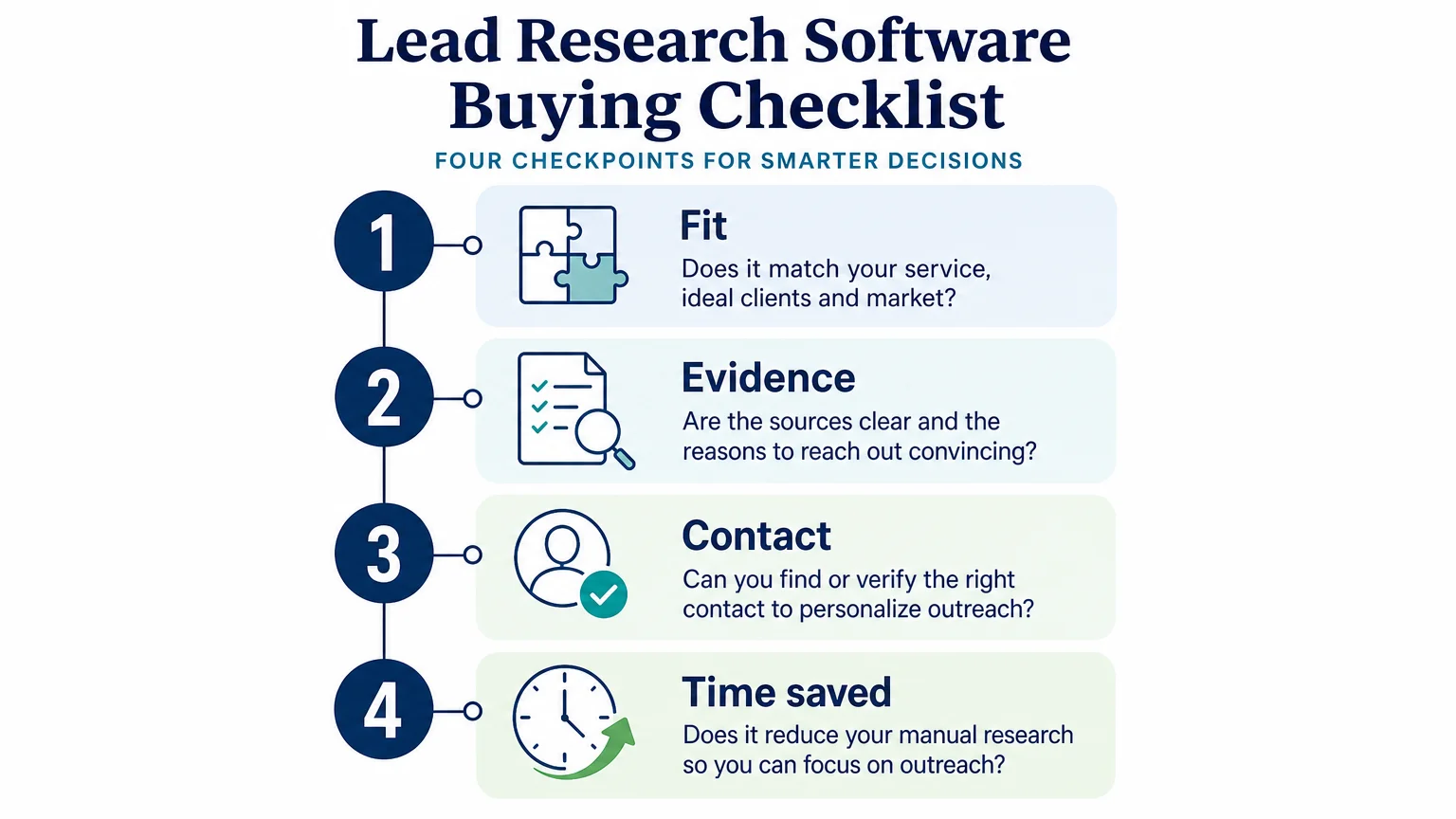
Do not evaluate a prospecting tool by its feature list alone. Run a small, controlled test using the same ideal client definition and the same review standard you would use after subscribing.
- Define your test market. Choose one service, one type of client, and one geographic or industry focus. A vague brief makes every tool appear inconsistent.
- Set a relevance standard. Decide what counts as a useful company. For example, require a clear connection between the company’s situation and the service you provide.
- Check the evidence. Open the cited source for every promising result. Record whether the source supports the reason to reach out.
- Verify the contact path. Measure how often you can identify an appropriate person without excessive additional research.
- Measure review time. Track the minutes required to turn each result into a qualified, personalized outreach opportunity.
- Record outcomes. Note which signals were useful, which were irrelevant, and which feedback should shape the next search.
A Microsoft research paper on large-scale online experimentation makes a broader point that applies here: teams need explicit evaluation criteria and controlled comparisons because intuition is not a reliable measure of value. Your test does not need to be complex. It needs to compare manual research with software-assisted research using the same standards.
Measure useful results, not raw volume. Ten relevant companies can be more valuable than 100 poorly matched records. The practical metric is often cost per qualified opportunity, calculated after your review, not cost per contact or number of records returned.
What Does the Cost-Benefit Calculation Look Like?
Software cost is only one part of the decision. You should also account for review time, contact verification, message editing, subscription terms, and the value of the work that prospecting replaces.
Our Starter plan costs $49 per month and provides up to 10 requested leads in one daily brief. Pro costs $99 per month and provides up to 20 requested leads in one daily brief. Both plans include dashboard access, saved preferences, researched leads, drafts, and history.
Eligible accounts may start a seven-day trial with a payment method. The selected subscription renews monthly unless it is canceled before the trial ends. You can also receive one free researched brief after signup without a card, which provides a low-friction way to assess relevance before choosing an ongoing plan.
The phrase “up to” matters. Daily allowances count requested results, so fewer companies may be returned when the research cannot find enough relevant matches. That is preferable to filling a brief with weak prospects, but it means you should judge the service by relevance rather than by maximum volume.
A simple calculation can help:
- Estimate your current weekly research hours.
- Estimate the hourly value of your time.
- Measure the hours saved after reviewing software-generated results.
- Subtract the remaining time needed for qualification and contact verification.
- Compare the recovered value with the monthly subscription cost.
For example, if a $49 subscription saves two hours per week and your effective working value is $75 per hour, the time value alone may exceed the fee. That calculation does not prove the software will produce a client. It shows when the purchase may be financially sensible before considering any commercial outcome.
Can Feedback Make the Research More Useful?
Feedback is valuable when it changes the next search rather than simply recording a preference. Tell the system which companies fit, which do not, and why. “Wrong industry” is useful. “Too small to buy” is better. “The signal was real, but unrelated to our service” is better still.
This creates a feedback loop around your actual consulting offer. You are not only searching for companies that match broad firmographic criteria. You are refining the connection between a company’s circumstances and the work you can credibly provide.
Our workflow uses feedback to shape subsequent shortlists. You can review the source, assess the suggested reason to reach out, and decide whether the company deserves attention. The process is designed to become more focused through informed review, not to promise guaranteed improvement or automatic buying intent.
This is also where a daily routine can matter. A brief delivered at your saved local time creates a defined review moment. You can inspect a manageable set of opportunities, choose the strongest ones, verify the right contact, and prepare outreach without rebuilding the research process from the beginning.
Who Should Not Buy Lead Research Software?
Software is not automatically valuable for every consultant. You may not need it if referrals already provide enough work, your target market contains only a few dozen realistic accounts, or you have an assistant who already performs the research reliably.
You should also be cautious if your offer is not yet clear. Software cannot compensate for an undefined ideal client or a service that is difficult to explain. Better research will not fix weak positioning, an unconvincing message, or an outreach process that lacks follow-up discipline.
Finally, avoid tools that encourage you to treat volume as progress. A large database, a high lead count, or an impressive automation promise does not establish fit. The right system should make your decisions better informed, not remove your responsibility for making them.
So, Is Lead Research Software Worth It?
Lead research software is worth it when it consistently reduces repetitive searching, provides source evidence, and helps you maintain a focused prospecting routine. The strongest fit for a consultant is usually a tool that prepares relevant company research and outreach context while leaving qualification, contact verification, personalization, and sending under your control. Test it against your current process, measure qualified opportunities rather than raw volume, and compare the time recovered with the subscription cost.
Build a More Focused Prospecting Routine
If your main challenge is finding relevant companies and understanding why they may need your service, a daily research brief can give your prospecting process more structure without removing your judgment.
We research potential B2B company matches, deliver evidence and suggested outreach by email, and use your feedback to shape future shortlists. Start with one free researched brief after signup without a card, then choose ongoing dashboard access through Starter at $49 per month or Pro at $99 per month. Get your first researched brief and review the workflow before deciding whether it fits your practice.
Frequently Asked Questions
Is lead research software useful for a solo consultant?
It can be useful when prospect research takes time away from delivery, networking, or sales conversations. The best fit is a system that gives you focused company research while allowing you to qualify and personalize every opportunity yourself.
Does lead research software provide verified contacts?
Not necessarily. Many tools provide contact data or suggestions, but you should verify the person, role, and address before sending outreach.
How is lead research software different from a lead database?
A lead database primarily helps you find companies or contacts using stored records and filters. Lead research software may add company context, source evidence, service-fit reasoning, and outreach preparation.
What should I measure during a trial?
Measure relevant results, evidence quality, review time, contact verification time, and the number of opportunities you would actually contact. Avoid judging the tool only by lead volume or the number of records returned.
Does ProspectDog send outreach automatically?
No. ProspectDog’s Starter and Pro plans provide researched leads, source information, drafts, and practical conversation tips for your review. You remain responsible for verifying contacts, personalizing messages, and sending outreach through your own email account.