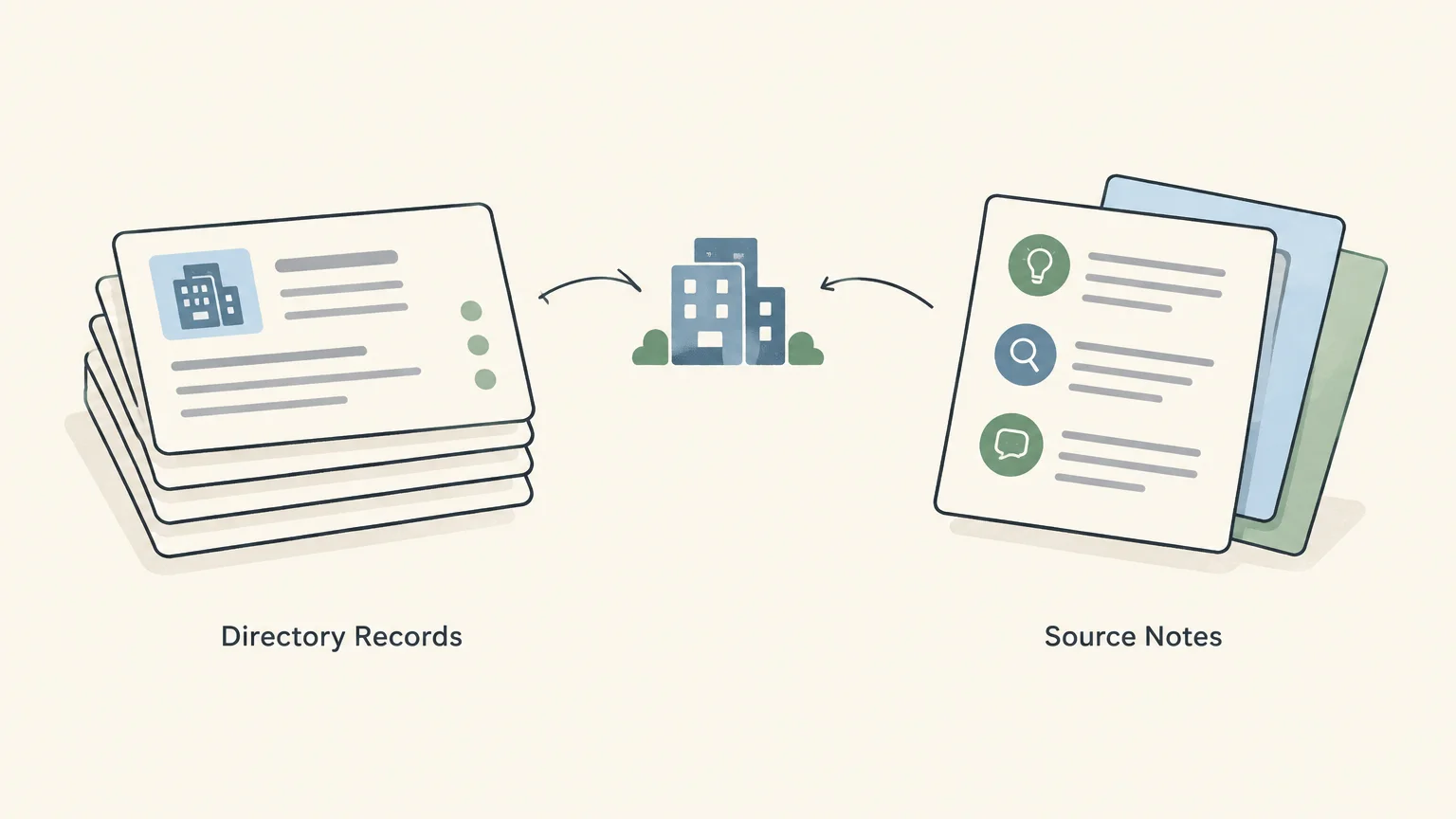

When every prospect starts as a row in a spreadsheet, more records do not necessarily mean a clearer reason to contact a company. The difference between a directory and research that interprets company signals matters especially to independent consultants, who must connect a specific service to a business need. Our overview of lead research software for B2B consultants covers the research focused approach.
A B2B lead database is primarily organized around searchable company and contact records. Lead research software is organized around finding relevant opportunities and explaining their possible fit. The categories can overlap, and some platforms combine records with other prospecting functions. The useful choice is not a label, but which work you need the tool to perform, what evidence it gives you, and what you still need to verify.
What is each tool designed to do?
A lead database gives you a structured place to search and organize records. You might filter companies by factors such as industry, location, or size, then review the available details and build a list for your next prospecting step. Its central value is access to organized information, rather than an explanation of why a particular company needs your service.
Lead research software starts with a different question: which companies appear relevant to this service, and what observable reason supports that match? Depending on the product, research may use company activity, such as hiring or expansion, to identify a possible service fit. You then review the evidence and decide whether the company merits outreach.
In practice, a database can help you create a broad starting list, while research can help you narrow attention to companies with a reason to investigate. Neither label guarantees the same features across every provider. Check the actual workflow and information available, rather than assuming a tool does more because it uses “research” or “database” in its description.
Where does research add useful context?

A hiring notice alone does not establish that a company is ready to buy. Its value depends on whether the role, business context, and your service have a meaningful connection. For example, a consultant who helps ecommerce teams automate customer support might look more closely at an online store hiring several support specialists. That signal offers a specific reason to investigate, not proof of purchasing intent.
This distinction makes reviewable evidence important. A useful research brief should let you inspect the source behind its suggestion and judge the connection yourself. If the explanation is vague, you may still need to conduct the research that the tool appeared to save.
Research also does not automatically supply reliable contact details. A company signal and an individual’s current role or email address are separate facts. Treat them as separate checks before preparing a message.
How do data freshness and verification differ?
Company and contact records can change as businesses expand, reorganize, or update employee roles. A database record is a starting point for checking those details, not a reason to assume every field is current. Before using a record, review its source, date, and any available verification information.
Research-led suggestions have a related limitation: a source can support a possible service fit without confirming buying intent or identifying the right person to contact. Keep the steps distinct: verify the company context, assess the service fit, identify an appropriate contact, and check that contact’s details before outreach.
That division of work is central to our approach. ProspectDog provides researched companies, source information, a suggested reason to reach out, and a draft for review. You remain responsible for qualifying each company, finding or verifying the contact, personalizing the message, and sending it.
Which workflow fits your consulting practice?
Think about the task that slows down your prospecting most. If you already know which companies to target and need searchable records or contact details, a database may suit that step. If your challenge is deciding which companies might need your service and why, research software may provide more relevant context.
Also consider how much work you want to retain. A contact list does not necessarily write a tailored message or explain the service fit. Research and outreach preparation may reduce some early investigation, but you still need to review its evidence and handle the human decisions that follow.
For a broader view of the tools involved in prospecting, our article on B2B lead generation tools can help you assess how research fits alongside other parts of your workflow.
How should you evaluate a research or database tool?
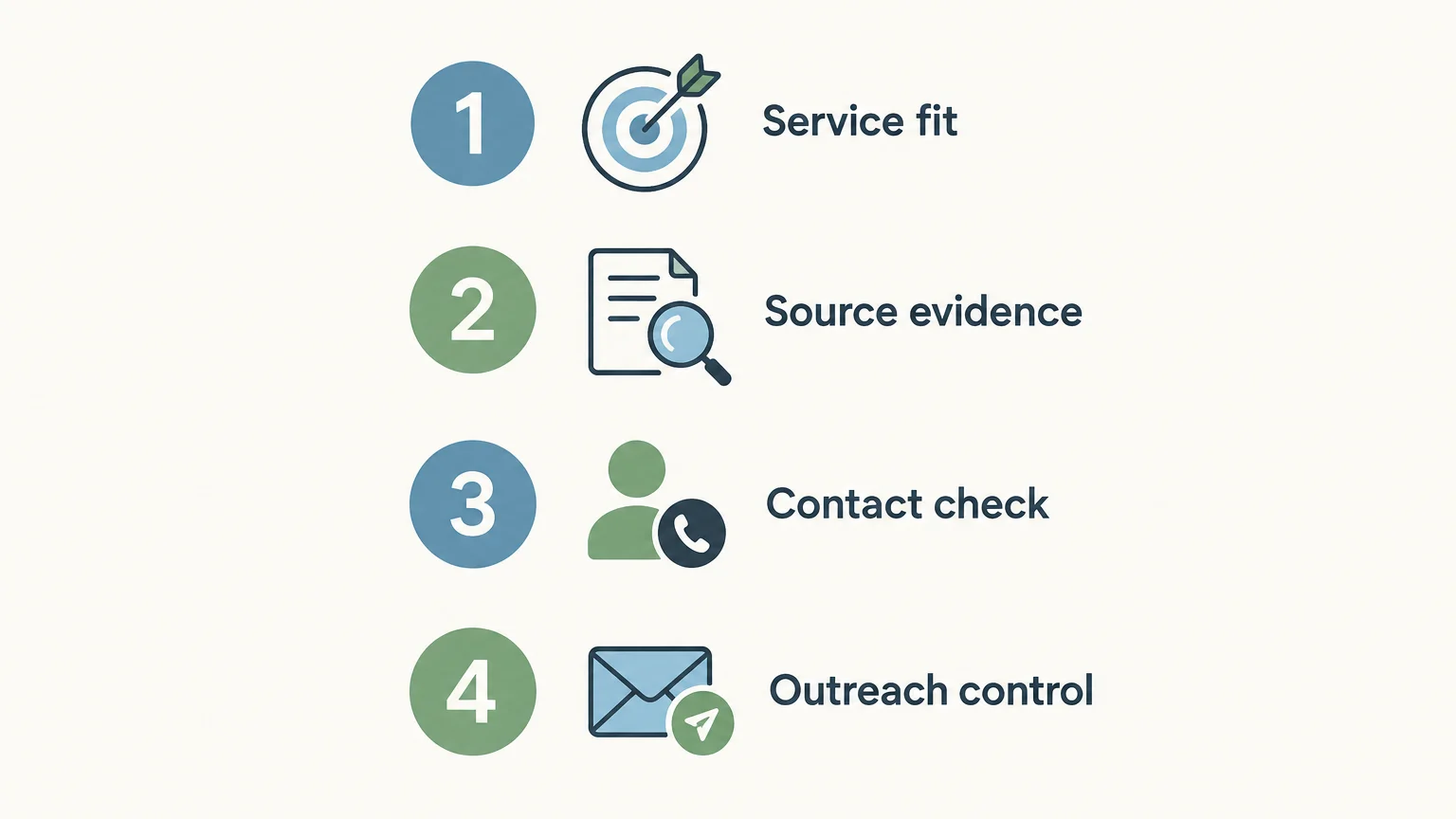
Use the same practical checks when comparing options, whether they call themselves a database, research tool, or prospecting platform:
- Service fit: Can you define your offer, ideal client, and market, and does the tool use those details to shape its results?
- Evidence quality: Can you inspect the source and understand why a company was selected?
- Contact verification: Does the service verify individual contact details, or must you find and check them separately?
- Outreach control: Does the product prepare suggestions for your review, or does it send messages? Confirm exactly what happens without assuming automation.
- Cost and volume: Compare recurring price with the number of requested results and the work those results actually save. A requested lead allowance does not promise that every result will be a relevant company.
For consultants weighing research against a professional networking tool, our comparison of lead research software vs. Sales Navigator addresses that adjacent decision. Start with your bottleneck, then assess whether the tool solves it without hiding the checks you still need to perform.
Can you use both tools in one prospecting workflow?
Yes. A database can help you assemble or organize a pool of companies, while research can help you investigate which ones appear relevant to a particular service. You can then verify the company and contact, personalize a message, and decide whether to send it. The sequence matters more than the category names.
For a consultant with a clearly defined market, begin with the question the tool must answer. If you need a record or contact, evaluate database coverage and verification. If you need a reason to prioritize a company, evaluate the research sources and explanation. If you need both, check that the products connect cleanly or plan how you will move information between them.
Choose the tool that answers your next question
A database helps you search and organize prospect records; research software helps you investigate company fit and possible reasons to reach out. Before choosing, decide whether your main gap is contact information, prioritization, or context. Then inspect the sources, verification process, and manual steps involved. Use the tool to guide your work, and qualify each prospect before contacting anyone.
Make prospect research a repeatable routine
If your priority is finding companies that may fit your consulting service, a large contact list may not answer the most important question: why reach out to this business? We built ProspectDog to deliver researched company briefs shaped around your service, expertise, ideal client, and market, with evidence and outreach suggestions for you to review.
Start with a free researched brief after signup, without a card. For ongoing research and dashboard access, Starter is $49 per month for up to 10 requested leads in one daily brief, and Pro is $99 per month for up to 20. Each brief includes source information, a possible reason for fit, and a draft to review. You find or verify contacts, personalize the message, and send outreach yourself.
Frequently Asked Questions
Is a lead database the same as lead research software?
No. A database centers on searchable company or contact records, while research software centers on identifying and assessing possible prospect fit. Some products combine parts of both workflows.
Does lead research software verify contact details?
Not necessarily. Research evidence about a company and verified details for a specific contact are different things. Check whether a tool verifies contacts or requires you to do so.
Can a database tell me which companies need my services?
A database can help you find and filter companies, but its records do not automatically explain why one might need your service. You may need to investigate business context separately.
Can consultants use research software without automating outreach?
Yes. Research and message preparation can support a manual workflow. You can review the evidence, verify a contact, personalize a draft, and decide whether to send it.
How does ProspectDog fit into this comparison?
ProspectDog prepares daily researched company briefs for B2B consultants, including source information, a possible reason for fit, and an outreach draft. You review and qualify each prospect, verify the contact, personalize the message, and send it yourself.